JW Anderson x UGG: Loafer and Loafer Boot out now. UK prices
Oct 15, 2026·Soleback Team

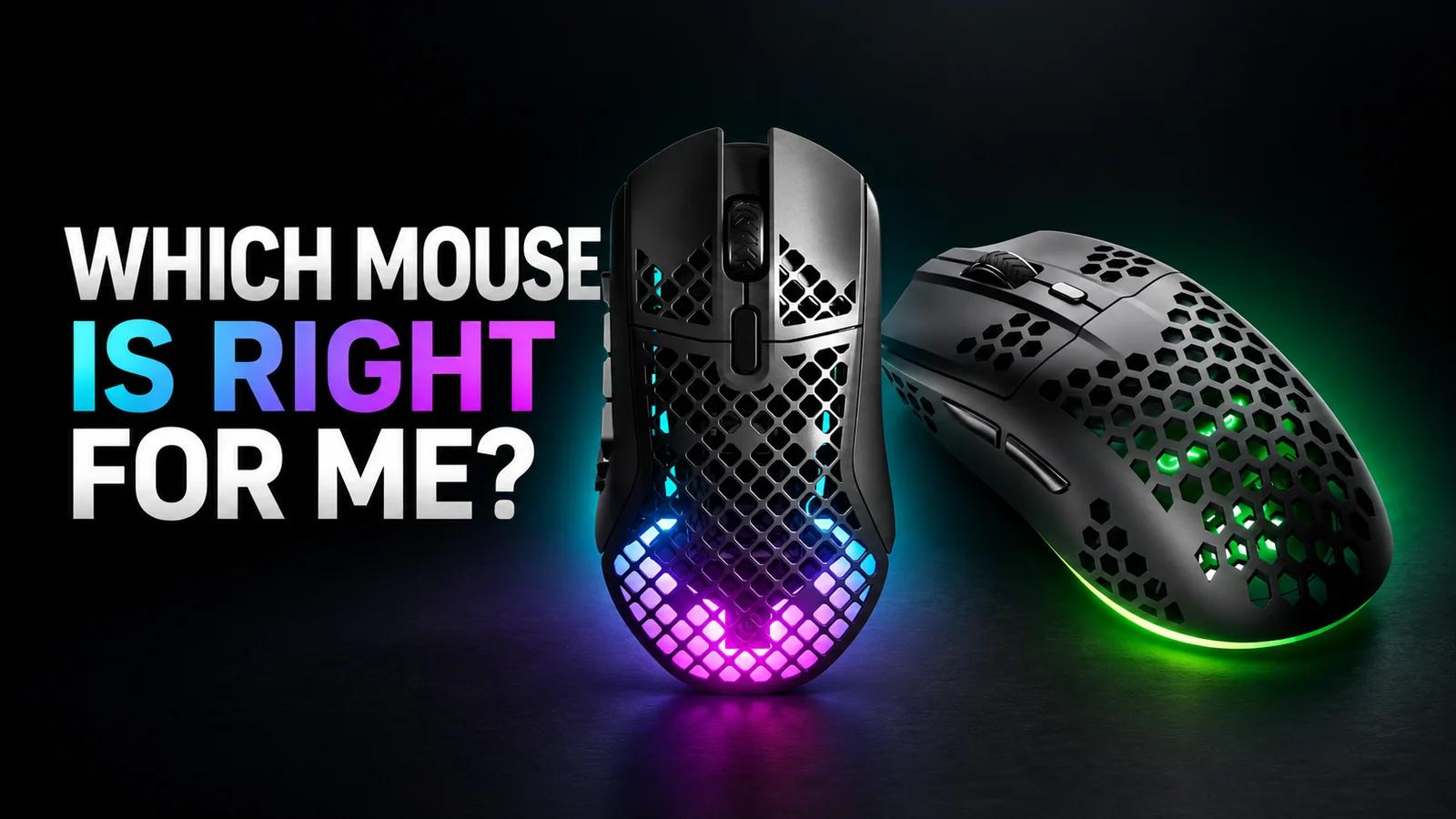
A good gaming mouse costs about £25, a tournament one usually £120 to £160. Here is what you are really paying for, what the pros use and what to buy at every budget.
Soleback Team
You can buy a good gaming mouse today for about £25. That is what popular wired models such as the Logitech G203 Lightsync or the Razer DeathAdder Essential cost. The mice that professionals use in CS2 and Valorant usually cost £120 to £160.
The good news is that there is no gulf in accuracy between those two figures. A £25 sensor tracks your hand without fault. A pricier mouse mainly gives you three things: no cable, less weight and better build quality. Before you buy anything, work out whether you need any of them. The most important spec never makes it onto the box: the shape, and whether it suits your hand.
The UK market splits into four clear price tiers:
If you play casually, a sensible ceiling is £50 for a wired mouse or around £60 for a wireless one. Above £110 you are paying for the last few per cent, which matter mainly if you play ranked for several hours a day.
Two mice with the same sensor can give completely different results, because one sits well in your hand and the other does not. Shapes fall into two families.
Symmetrical mice, such as the Razer Viper or the Logitech G Pro X Superlight, have two similar sides. They suit grips where your fingers and wrist make lots of small movements. Razer describes the Viper V4 Pro outright as a mouse for claw and fingertip grips.
Ergonomic mice, such as the Razer DeathAdder V4 Pro, the Zowie EC2 or the new Logitech G Pro X Superlight 2 DEX, are sculpted for the right hand. They fill it better and are more comfortable when your whole hand rests on the mouse. Left-handed players are effectively limited to symmetrical shapes.
If you can, hold a few models in a shop first. Currys and Argos carry many popular models, and both offer store collection, so you can often pick one up the same day.
Measure hand length from the tip of your middle finger to the crease of your wrist, and width across your palm. According to the Voltcave guide, a small hand is under about 17 cm, a medium hand 17 to 20 cm, and a large hand over 20 cm.
A simple rule to start with: the mouse should be about 60 per cent of your hand length. With a 19 cm hand that gives a mouse roughly 11.4 cm long. With a palm grip, stick closely to this rule. With claw or fingertip you can go shorter.
Manufacturers increasingly make one shape in several sizes. Pulsar recommends the Mini version of its X2 for hands shorter than 19 cm, and Zowie sells the EC series in sizes 1, 2 and 3.
With a palm grip your whole hand rests on the mouse and movement comes from your wrist and forearm. Larger, ergonomic mice work best here.
With a claw grip only the base of your palm touches the mouse and your fingers are arched like claws. It is the most common grip in shooters, because it combines stability with quick corrections.
With a fingertip grip only your fingertips touch the mouse. Low weight and a shorter body matter most here, because your fingers do all the work.
You do not need to name your grip. Just notice whether the base of your palm touches the mouse or not. That tells you more than any chart.
Ten years ago a gaming mouse weighed over 100 grams. Today the benchmark for tournament players is 49 to 63 grams:
Lower weight makes it easier to stop your crosshair quickly, but there is a limit. The Pulsar X2 CrazyLight Mini weighs around 35 to 37 grams and the Finalmouse ULX Prophecy 36 g, yet the most popular pro mice weigh 54 to 61 grams. Lighter is not better if it costs you control.
A heavier mouse is no problem in games where fast aiming does not matter: strategy games, MMOs or anything with lots of shortcuts. The Logitech G502 X Plus has 13 programmable controls, and the Razer Basilisk V3 Pro 35K weighs 112 g and has 11 buttons. For a World of Warcraft player those are strengths, not weaknesses.
Honeycomb shells, fashionable a few years ago, are giving way to solid, thin-walled shells of similar weight. The holes collected dust and could flex under your fingers.
Razer advertises the Viper V4 Pro with 50,000 DPI, Logitech its HERO 2 sensor with 44,000 DPI. These numbers have no practical meaning.
According to csdb.gg data on 820 active CS2 professionals, 47 per cent play at 400 DPI and 46 per cent at 800 DPI. That is 93 per cent combined. Just 1 per cent play at 3200 DPI. In Valorant, according to prosettings.net, 800 DPI dominates (54.8 per cent of the sample), followed by 1600 DPI (32.3 per cent).
Any decent sensor from recent years, from the PixArt PAW3395 to Razer's Focus Pro or Logitech's HERO, tracks without errors across the range you actually use. SteelSeries pointed out in its guide years ago that a high CPI figure on its own says nothing about sensor quality. What matters more is whether the sensor loses track during sudden movements (IPS, acceleration), and even budget models from established brands have no trouble with that.
Polling rate is the number of reports the mouse sends to your computer every second. At 1000 Hz a report arrives every 1 ms, at 8000 Hz every 0.125 ms. Flagship makers now boast about 8000 Hz.
In practice, professionals rarely use it. In samples of around 60 CS2 and Valorant players compiled by prosettings.net, about 55 per cent play at 1000 Hz, and just 3.3 per cent at 8000 Hz.
High polling has its costs. According to TechPowerUp, 8000 Hz needs a capable processor (the reviewer pointed to 6 physical cores), a USB 3 port and a 240 to 360 Hz monitor, and on a weaker PC responsiveness can actually get worse. Razer itself advises on its HyperPolling page dropping to 4000 or 2000 Hz if an older game starts to stutter.
The sensible choice is 1000 Hz day to day, and 2000 to 4000 Hz if you have a powerful PC and a fast monitor.
The belief that a wireless mouse is slower is out of date, but not for every model. In measurements from May 2025, igor'sLAB found the Logitech G303 Shroud only 0.2 ms slower without a cable, while the older Zowie U2 was 4 ms slower. It all depends on the specific design, not the technology itself.
You pay more to lose the cable. The cheapest wireless gaming mouse from an established brand, the Logitech G305, still fits into the up to £50 tier, but it costs noticeably more than the wired G203. A wired mouse with a light, flexible cable is still a good choice, especially below £60.
The most surprising numbers in this category are about batteries. Going from 1000 to 8000 Hz does not halve battery life, it cuts it several times over:
At 8000 Hz you will be charging the mouse every two or three days of play. At 1000 Hz, once a week or less. The Logitech G305 runs for up to 250 hours on a single AA battery, according to Logitech, at the cost of extra weight: 99 g with the battery.
After a few years, classic mechanical switches can start to double-click: worn contacts bounce and a single press registers as two. Optical switches remove that cause, because the click is detected by a beam of light rather than metal contacts touching. They are not indestructible, though, as the spring or the electronics can still fail.
The inexpensive Razer Cobra already has third-generation optical switches, as does the Pulsar X2V2. Logitech has gone further: the G Pro X2 Superstrike has no microswitches at all, just inductive press detection with an adjustable actuation point and haptic feedback. Logitech claims up to 30 ms lower click latency.
PTFE skates are standard. Glass skates are faster on the right cloth mat, but noisy on a glass mat and more sensitive to moisture. Always replace the full set, never a single skate.
The mouse mat changes the feel more than you might think. If you play at 400 or 800 DPI like most professionals, you need a large surface, and a small office mat stops being enough after your first wide swipe.
Software is a matter of taste. The Zowie EC2-DW works without drivers, and you change settings with buttons on the underside. Even so, Zowie is the third most popular brand among CS2 professionals. The Razer Viper V4 Pro can be configured in your browser, without installing an app.
This tier has everything a typical gamer needs:
With the G305 and other popular models, compare colours. The same mouse in a different finish is sometimes noticeably cheaper in the same shop, because retailers clear out less popular variants.
This is where lighter mice with better switches start, along with the first light wireless models:
In our view this is the best tier for most players. The Viper V3 HyperSpeed gives you a wireless mouse in a tournament shape. If you prefer a cable and low weight, the OP1 8K gets you flagship specs for a fraction of the price.
This tier is mainly previous generations of tournament mice, which have become noticeably cheaper since their successors launched:
The DeathAdder V3 Pro is one of the best deals on the market right now. Its successor, the V4 Pro, is the second most popular mouse in CS2 and sits in the top tier, but the in-game difference is not worth the extra money for anyone except a player chasing rank points.
These are the mice you will see on tournament streams:
Zowie is not sold by Soleback partners. Besides the S2-DW, Amazon UK also lists the EC2-DW, but stock of individual sizes and colours changes, so it is worth setting a stock alert.
According to the prosettings.net list, covering 2436 player profiles across different games, the most popular mouse is the Logitech G Pro X Superlight 2 (12 per cent), ahead of the Razer Viper V3 Pro (10.8 per cent) and the Viper V4 Pro (10 per cent). Next come the original Superlight, the Logitech Superstrike and the DeathAdder V4 Pro.
In CS2 alone, according to prosettings.net with 947 profiles, Logitech has a 37.7 per cent share, Razer 31.6 per cent and Zowie 13.3 per cent. The Superlight 2 is used by 17.7 per cent of professionals, the DeathAdder V4 Pro by 11.2 per cent.
There are three takeaways for you. Professionals play at low DPI and usually at 1000 Hz, so they do not need record-breaking specs. They choose mice of 54 to 61 grams, not the lightest on the market. And they almost always play with a model that sits well in their hand, because they change gear less often than launches suggest.
If you play ranked and are thinking about tournaments, a top-tier mouse makes sense, but not because it aims better. It gives you consistent, predictable behaviour for years, wireless freedom without noticeable latency, and a shape you will see in the hands of people playing at the highest level.
The practical path looks like this. Set 400 or 800 DPI in CS2, 800 or 1600 in Valorant, and adjust your in-game sensitivity. Play at 1000 Hz, and try 2000 to 4000 Hz only with a 240 Hz monitor or faster. Buy a large mouse mat. Only then think about changing your mouse, and choose the shape, not the numbers.
If the Superlight 2 or DeathAdder V4 Pro is too much for you, the previous generation (DeathAdder V3 Pro, Viper V3 Pro SE) gives you practically the same thing, within the £80 to £110 tier.
You can buy gaming mice with cashback from three Soleback partners:
At GAME and Ebuyer many gaming mice show as out of stock, so check availability on the product page before you activate cashback. Pulsar, Endgame Gear and Zowie are practically absent from Soleback partners. You will find those brands at Currys, Overclockers and Amazon UK, which are not Soleback partners.
Rates from the shop pages on Soleback, October 2026:
In practice, for every £100 you spend you get back £3 at Joybuy (£1.50 on sale items), 45p at GAME and 30p at Ebuyer.
The gap is large. At GAME and Ebuyer cashback is a small bonus, so a lower price elsewhere matters more than the rate. At Joybuy it is worth checking before you buy whether the mouse is marked as a sale item, because that halves the rate. The details are on the Joybuy page on Soleback.
Cashback is credited when you activate it on Soleback before buying and complete the purchase in the same browser, not in the shop's app. Ad blockers and tracking protection can break the redirect, and so can visiting a price comparison site or another cashback service after activation. Returning the mouse cancels the cashback. Approval usually takes 60 to 120 days at all three shops. The easiest way to keep track is the Soleback browser extension.
A new account also gets a welcome bonus, paid in stages as your cashback grows over your first 45 days. A mouse alone will not unlock it, but together with bigger electronics purchases it can.
You can combine discount codes with cashback, but where the code comes from matters. Two kinds are safe to use: codes from the offers section on Soleback, and codes the shop publishes on its own official website, for example on the product page or in a promotional banner.
Be careful with codes from third-party voucher sites and aggregators. They can stop your cashback from being credited, because the purchase gets attributed to another site. Electronics retailers regularly publish their own codes for mice from specific brands, usually valid for a few days or weeks, so before you go hunting for a code elsewhere, check the shop's website and the offers section on Soleback.
Whatever your tier, set 1000 Hz and a low DPI and buy a decent mouse mat. That will improve your game more than paying an extra £80 for a flagship.
Save on your next purchase
Browse our partner stores for cashback deals and voucher codes
Soleback Team
Author